
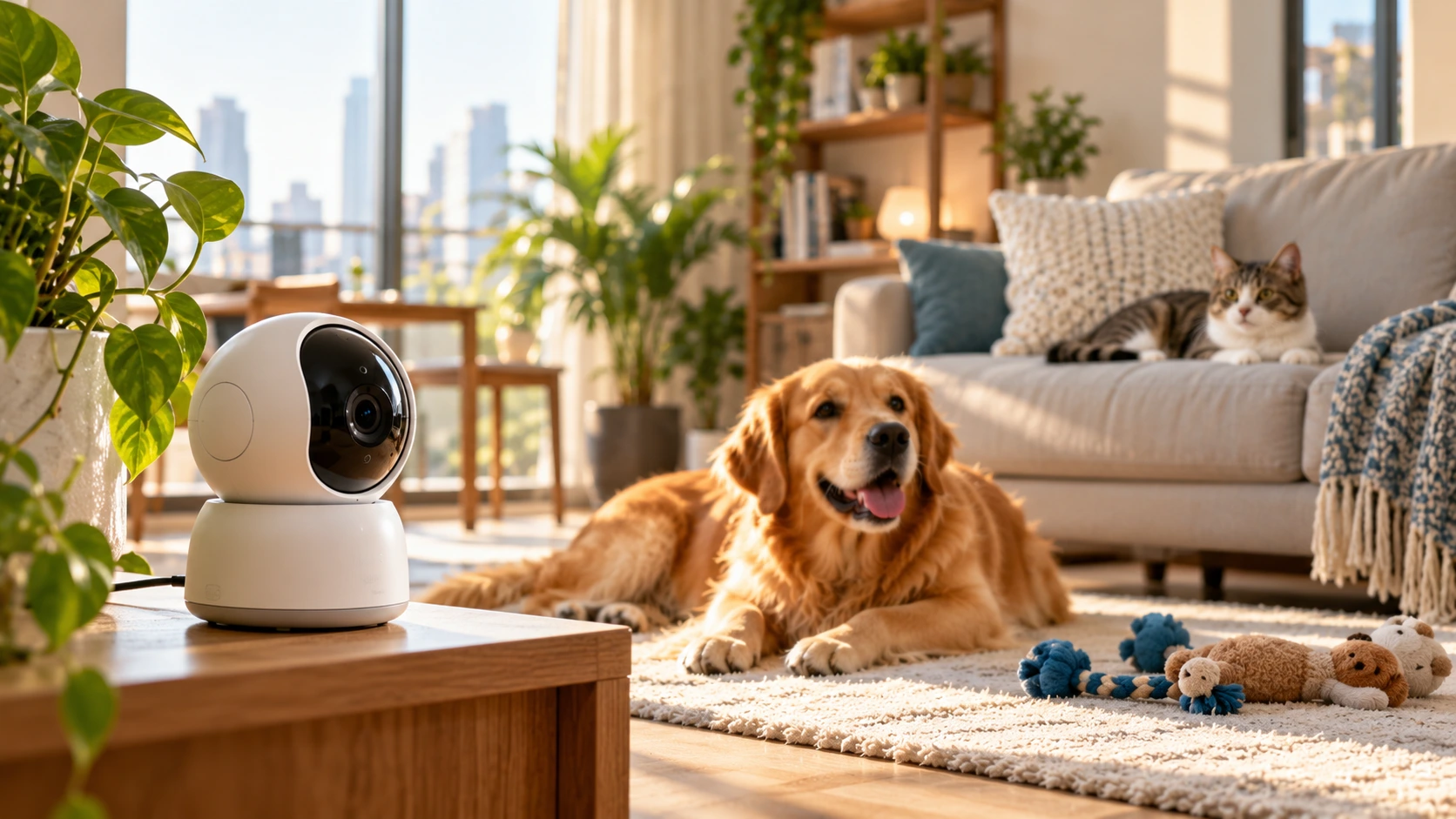
Picture this: you open your phone at lunch, and your pet monitoring camera shows an empty sofa. No cat in sight. Your stomach drops. Then you remember she naps in the gap behind the cushion, a spot the lens never covers. Not knowing what your pet is doing while you’re away can be stressful. Before you buy, match the camera to your pet’s habits, your room’s light, your Wi-Fi and your comfort with recording. This guide shows you how, with Dubai and UAE homes in mind.
Buy the camera that sees your pet’s favourite spots, works in the dark, and keeps saving footage when the internet fails.
What Should Your Camera Show While You Are at Work?
Write down your worries before you read a single spec sheet. Your list will cut the choices fast. A pet monitoring camera that suits a napping cat may frustrate the owner of an active dog.
Pick the area, the way you want to watch, and the events you care about.
A Corner or the Whole Room
A fixed camera looks one way. It works for a bed, a crate or a feeding corner. A pan-and-tilt camera turns, so it follows your pet around a bigger room.
A Live Look, an Alert or a Replay
Live video shows the moment. An alert pings you when something moves. A saved clip lets you check what happened at 2 pm, long after you left the meeting. Most owners end up wanting all three.
What Counts as Important to You
Some owners fear chewed shoes. Others fear a missed meal or a long bout of barking. Your fear decides if you need motion alerts, sound alerts, a speaker or recording.
Example: Two neighbours live in Dubai Marina. Hana’s dog howls each time the lift dings. She wants a sound alert and a speaker to say “good boy.” Rashid’s cat sleeps on top of a bookshelf. He wants a high, wide view and a lens that turns. Same goal, two different setups.
Which Features Help and Which Ones Only Sound Good?
Every feature solves one problem and leaves another open. Weigh each one on any indoor camera for pets against its catch.
| Feature | Real benefit | The catch |
| Sharper resolution | Clearer detail | A sharp, narrow view still misses the cat |
| Wide viewing angle | More of the room | Edges can look stretched |
| Infrared night vision | Black-and-white view in the dark | Windows and glossy floors bounce light back |
| Colour night vision | Colour in dim rooms | Needs a little light |
| Motion alert | Sends a notification when movement is detected | Moving curtains or spinning fans may trigger alerts unnecessarily |
| Pet recognition | Spots a pet, not a person | Differs by model |
| Two-way audio | You speak, your pet hears | You must open the app |
| Sound detection | Alerts on barking | Does not explain the reason |
Before choosing a model, compare the available EZVIZ indoor security cameras in Dubai to find one with the features your pet needs.
Motion alerts and pet recognition are two separate things. Motion detection reacts to anything that moves. Pet recognition is a different tool. Read each product page to see which one the model offers.
Do Dogs, Cats and Mixed Homes Need Different Cameras?
Yes, because dogs and cats use a room in different ways. Your pet’s habits should guide what you pay for.
Dogs
A pet camera for dogs should see the front door, the water bowl and the play space. Dogs react to noise, so a sound alert helps. Your voice can calm an anxious dog. Some dogs get more excited, so test it for a few minutes while you are home.
Cats
Cats love hidden places. Pet cameras for cats must handle sofas, shelves, cat trees and tight gaps. A turning lens helps. Mount the camera high to look over furniture.
Two or More Pets
A camera can follow movement without knowing who is moving. Two cats may look the same to it. Treat pet naming as a bonus only if the product page clearly promises it.
Where Should You Fix the Camera?
Spot matters more than any extra feature. A great camera in a poor position still misses your pet. Follow these steps for a pet monitoring camera.
- Mark your pet’s key places: bed, bowls, favourite window.
- Look for blind spots: stand where the camera will sit and check behind sofas, shelves and doors.
- Mount it safely: use a firm bracket or a flat, stable surface.
- Hide the cable: a chewed wire is dangerous for pets.
- Test the Wi-Fi: check the signal on that exact spot first.
For more guidance on camera angles and avoiding blind spots, read our guide to indoor security camera placement.
Will the Camera Still Work If Wi-Fi or Power Goes Out?
Not fully. Watching from far away and recording at home depend on different things, so a cut affects each one differently.
| What you want | Wi-Fi down | Power down |
| Live view from outside | Stops | Stops |
| Saving to a microSD card | May continue on supported models | Stops |
| Phone alerts | Stop | Stop |
If you are still deciding between wireless and wired monitoring, our guide to Wi-Fi CCTV cameras vs PoE cameras explains the differences in connectivity and installation.
Check your model’s manual before you trust local recording. A pet monitoring camera also needs steady power. Some setups work with compatible backup power. Test this feature first to make sure it works as expected.
What Will You Pay Beyond the Price Tag?
The box price is only the start. A few extra costs decide the real value over a year or two.
- microSD card: most owners need one. Check the largest size your model accepts.
- Cloud plan: this is usually a monthly fee. Compare how many days of video it keeps.
- Accessories: mounts, cables and power items add up.
Before relying on local recording, understand the common reasons a CCTV camera stops recording and how storage or connectivity problems can affect saved footage.
Many homes do well with local storage on an indoor camera for pets. Add cloud storage only if you want a backup away from the device. Skip any feature you will not use.
How Do You Keep Your Home Footage Private?
Your camera looks into your living space, so treat its settings with care. Finish this list before you install.
- Create a strong, unique password.
- Switch on two-factor login if the app offers it.
- Share access with trusted people only.
- Use privacy mode when you are home, if your model has it.
- Install firmware updates quickly.
- Never point the lens at a neighbour’s window or any private area. UAE privacy and cybercrime laws are strict.
For further guidance, consult the UAE government’s official overview of personal data protection laws in the UAE.
How Can You Choose With Confidence?
Use a simple filter. First, remove any camera that misses a must-have. Then compare price.
- Write the area you need to see.
- Note your room’s light at night.
- Pick alerts: motion, sound or both.
- Decide if you want to speak to your pet.
- Choose storage: microSD, cloud or both.
- Check Wi-Fi strength and the nearest socket.
- Set a budget that includes monthly fees.
If you also need coverage outside your home, use our guide to indoor vs outdoor security cameras to understand which type suits each location.
| Your situation | What to look for |
| One bed or crate | Fixed lens, clear night view |
| A full room | Turning lens, wide angle |
| Pet camera for dogs | Sound alerts, speaker |
| Pet cameras for cats | High mounting, turning lens |
| No monthly fee | microSD slot |
FAQs
Can I watch my pet on my phone from the office?
Yes. The camera needs power, Wi-Fi and its app on your phone.
Is a normal home security camera good enough for pets?
For basic viewing, yes. Add sound alerts and a speaker if you want pet-friendly extras.
Will a pet monitoring camera know a dog from a cat?
Only some models can. Motion detection reacts to anything, so check the specifications.
Does recording stop when Wi-Fi stops?
Not always. Supported models can save to a microSD card if they have power.
Can a camera keep my pet safe on its own?
No. It lets you watch, not help. Keep a trusted person nearby for emergencies.
Final Thoughts
The right camera brings real peace. You stop picturing the worst and start enjoying small moments, like a tail wag at the door. Match the lens to your pet, test the night view, and check storage, privacy and costs before you pay. A good indoor camera for pets suits a quiet flat. A pet camera for dogs lets you hear and reply. Pet cameras for cats need smart placement to beat the hiding spots. Browse EZVIZ indoor cameras at EZVIZ Dubai, compare them with your checklist, and pick the one that fits your home.